


Traffic Signal Tools
Built by Industry Experts
User Manual COMING SOON!
UNZIP the INSIGHT DOWNLOAD then run Insight.exe Application to get started!
Insight v1.0 (Build 260902) — 63 MB
SHA-256: 94d92861833e26f1440a48c67aaf98416e39789b74fbe9d75fba9cdbba61fcac
Verify with: certutil -hashfile Insight_v1.0_260902.zip SHA256
Try INSIGHT - Traffic Software!
See the intersection, not just raw data
Drop in a satellite or plan-view image and place live signal heads, pedestrian indications, and detectors exactly where they exist in the field. At a glance, you see what the intersection is doing, no mental translation of phase numbers required.
Real-time NTCIP polling
Insight connects directly to the controller using NTCIP and streams live data including Phases, Overlaps, Channels, Detectors, Preempts, Pedestrian Intervals, Vehicle Calls, Coordination Status, and more all in one place.
Conflict monitor visibility, side-by-side
Built-in support for EDI IP addressable MMUs over TCP. View channel-by-channel R/Y/G states, AC frequency, RMS voltage, temperature, and fault conditions — the details that reveal issues the controller alone can’t. Additional monitor support coming soon.
Editable layouts, shared in a single file
Layout files bundle the background image and all signal elements into one portable file.
Email it, drop it on a shared drive, swap it between technicians, anyone who opens it sees the same intersection layout, exactly as intended.
Logging that just works
Data can be logged continuously to CSV files. No reformatting, no schema changes. Just clean data ready for Excel, databases, or analysis tools.
Run sessions for hours or weeks — logging doesn’t stop.
Playback
Replay recorded data exactly as it happened. Run playback in real time or accelerate through events. Jump directly to the moments that matter and see the system behavior unfold.
Licensing for shared traffic
Logging-Only — for deployed systems capturing data
Full Access — for technicians needing live visualization and editing tools
Licenses are hardware-key based. Plug in and unlock full functionality on any machine.
Try it free
Insight is free to use. Create as many layout files as you want!
Unlicensed mode includes a 2-minute live polling window — perfect for evaluation and proof-of-use.
Note: Data displayed by Insight is dependent on the accuracy and completeness of information provided by the connected traffic controller. Variations in controller software implementations or NTCIP support may affect functionality. Users are encouraged to verify compatibility with their specific controller prior to purchase.
Find a bug? Report bugs and suggestions to:
bug@overlapsignal.com
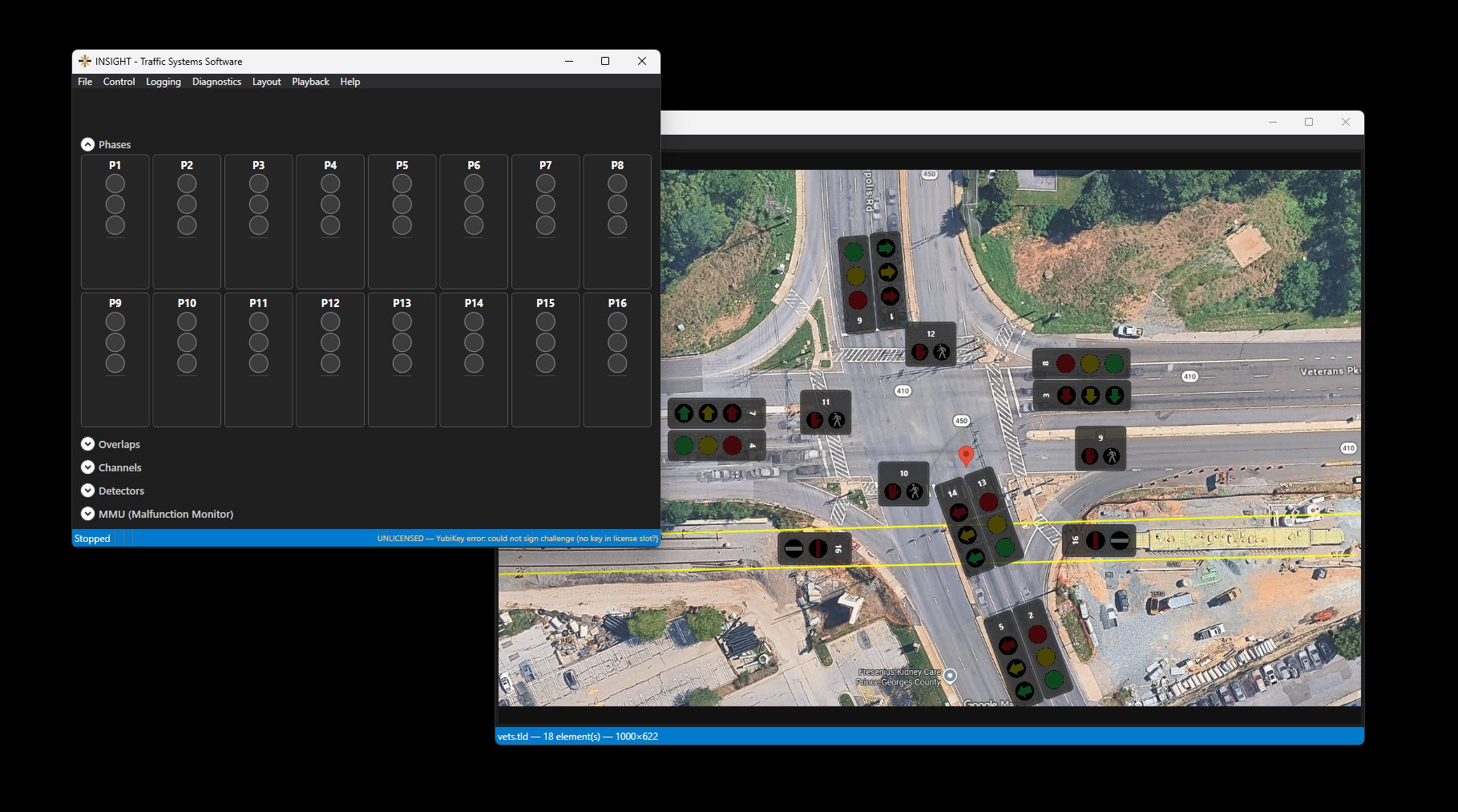
A hardware key to unlock the full features of INSIGHT traffic software. Allows the following:
Traffic Layout Designer
Real-Time Data Polling
Site Logging
Data Playback
(3 year license plus one month are added to the purchase date of the key before shipping)
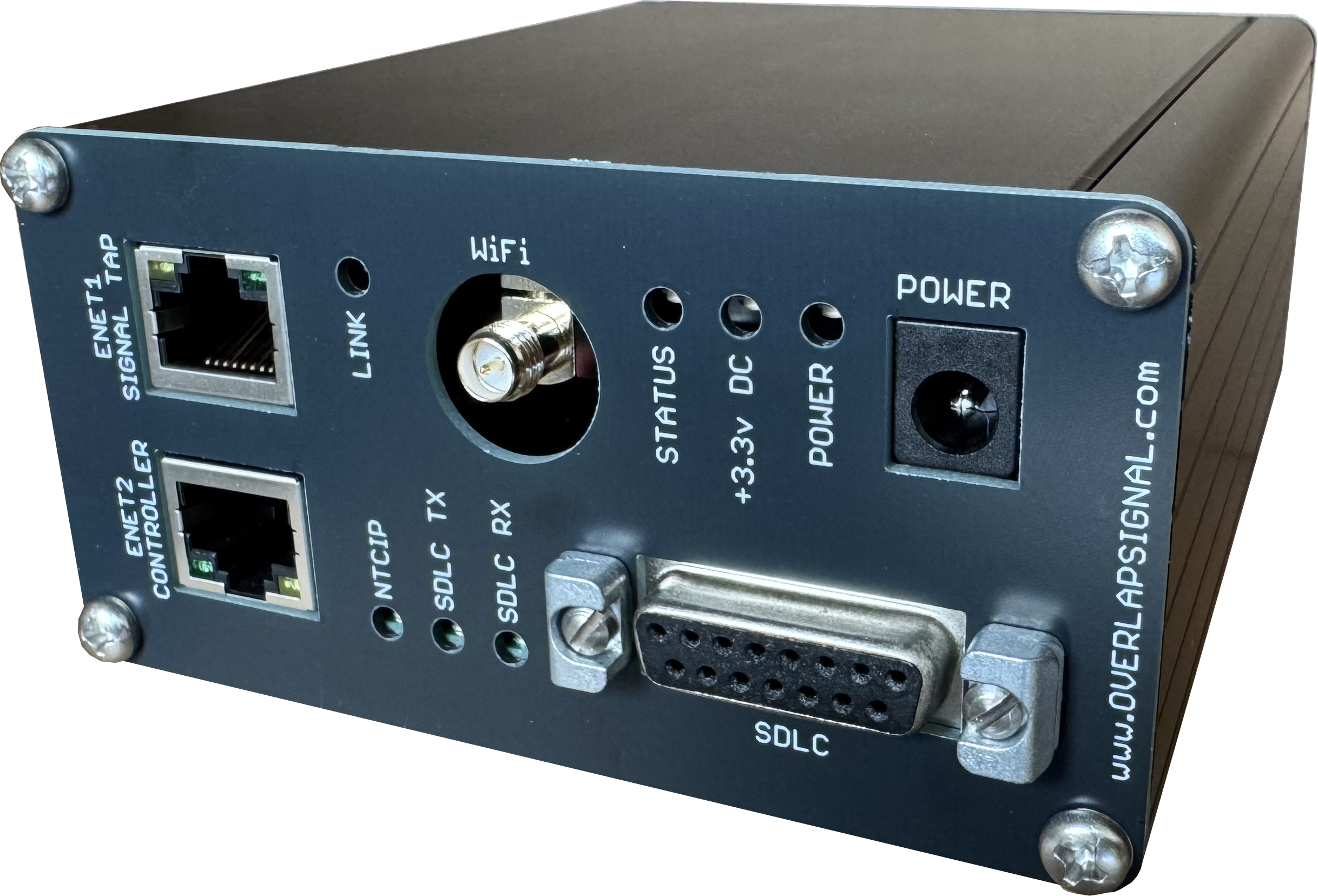
Complete traffic cabinet data capture. One timeline for everything happening inside the traffic cabinet.
Signal Tap is a dedicated traffic signal data monitoring and recording platform, designed to provide a comprehensive view of controller and cabinet activity from a single device.
By passively monitoring the cabinet's high-speed serial bus, collecting NTCIP data from the connected controller, and interfacing directly with capable MMUs, Signal Tap consolidates every layer of intersection operation into one synchronized recording — providing a consistent timeline for troubleshooting, system analysis, and remote monitoring.
Comprehensive Data Collection
Cabinet Bus Monitoring
Signal Tap connects directly to the cabinet's high-speed serial bus and passively records every transmission — both controller commands and device responses. This exposes cabinet-level communications that cannot be observed through NTCIP monitoring alone.
Supported cabinet bus protocols:
NEMA TS2 SDLC (Type 1 and Type 2) — full monitoring of Controller Unit ↔ TF BIU / DET BIU / MMU traffic
ATC 5301 SB#1 (HDLC) — planned, extending Signal Tap into advanced transportation controller cabinets (CURRENTLY UNTESTED)
Because Signal Tap sits on the bus as a passive listener, it captures everything that happens — regardless of whether the controller reports it upstream.
NTCIP Data Collection
Signal Tap simultaneously polls the connected controller over NTCIP to capture a wide range of operational data, including:
Phase states and status
Channel states
Overlap states
Detector activity
Preemption activity
Current coordination and time-plan information
Additional user-configurable NTCIP data points
MMU Monitoring
IP-capable EDI MMUs can be queried and recorded alongside cabinet bus and NTCIP data, integrating MMU fault status, channel information, and voltage monitoring into the same synchronized timeline.
Built for Remote Access
Signal Tap includes two independent Ethernet interfaces, allowing the traffic controller network to remain physically separate from the network used for remote access to Signal Tap.
An integrated web interface provides real-time viewing of collected data directly from a browser, along with access to stored recordings and downloadable data files.
Signal Tap also includes Wi-Fi — hosting its own local network or joining an existing one — making on-site access convenient during installation, troubleshooting, and field maintenance without needing a laptop-to-cabinet cable.
Designed for Insight
Signal Tap pairs directly with Insight Traffic Software, extending Insight beyond NTCIP-based monitoring.
Live data can be streamed from Signal Tap into Insight for remote viewing, while recorded data can be downloaded and replayed using the same visualization environment. Engineers and technicians can examine historical cabinet activity as though they were watching the system operate in real time.
The result is a common interface for analyzing NTCIP, cabinet bus, MMU, and other cabinet data together — rather than relying on separate tools and disconnected logs.
Local Recording
An onboard SD card provides continuous local data storage, allowing Signal Tap to maintain historical cabinet data even when a remote connection is unavailable.
When an event needs to be investigated, the recorded data is already there — providing a detailed history of what the controller commanded, what cabinet devices reported, and how the intersection responded.
The Signal Tap Advantage
One device. Multiple data sources. One synchronized record.
Instead of troubleshooting an intersection from isolated controller logs, MMU information, cabinet bus captures, and NTCIP snapshots, Signal Tap brings these data sources together into a consistent platform for:
Remote intersection monitoring
Troubleshooting intermittent events
Post-event analysis
Preemption analysis
Detector and phase operation analysis
Cabinet communications diagnostics
System validation and commissioning
Long-term operational data collection
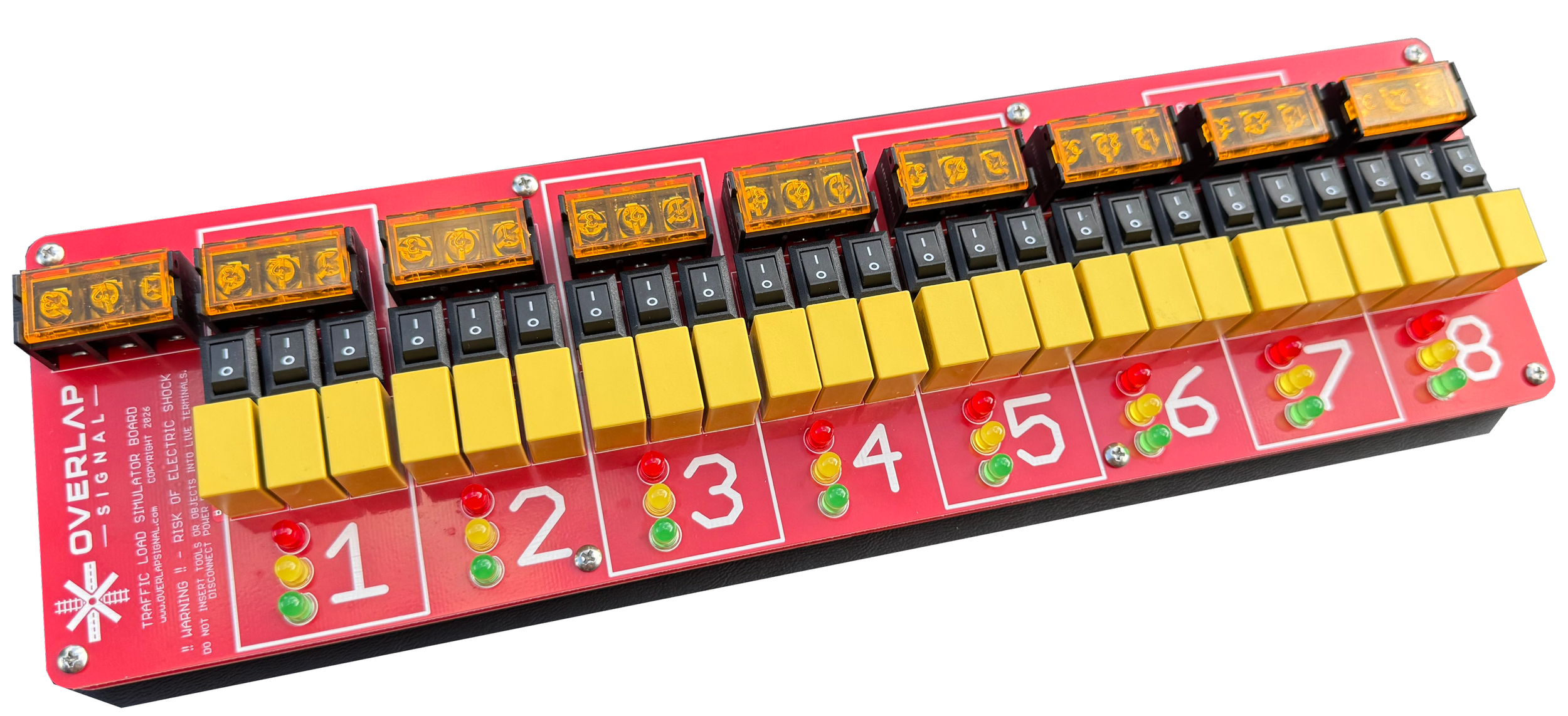
Simulates traffic signal load circuits for bench or cabinet testing
Independent aspect-selection switches allow each load bay to be enabled individually, providing a more realistic field simulation than traditional “all loads active” test setups. This helps verify proper MMU programming and operation under real-world conditions, reducing issues that can appear in the field such as unintended red-enable conflicts or nuisance flash conditions.
Useful for controller, MMU, and interface device verification
Compact PCB design replaces bulky temporary wiring setups
Helps validate outputs before field deployment
Great for shop testing, troubleshooting, and training setups
Pairs perfectly with Overlap Signal’s INSIGHT Traffic Software!
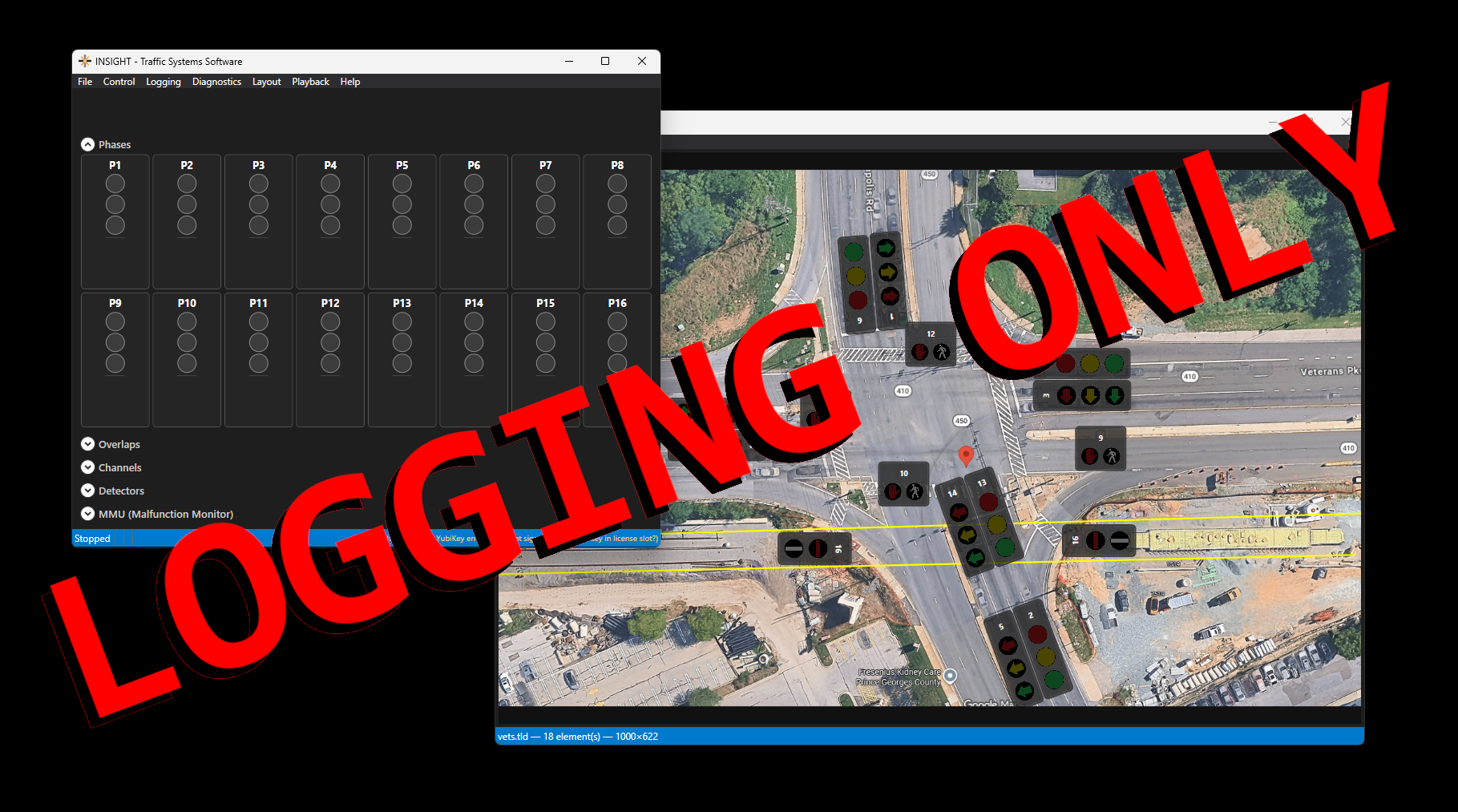
A hardware key to unlock the full polling and logging features.
Perfect for real-time timestamped state change monitoring.
Logging allows for easy QOS at each intersection.
(3 year license plus one month are added to the purchase date of the key before shipping)